
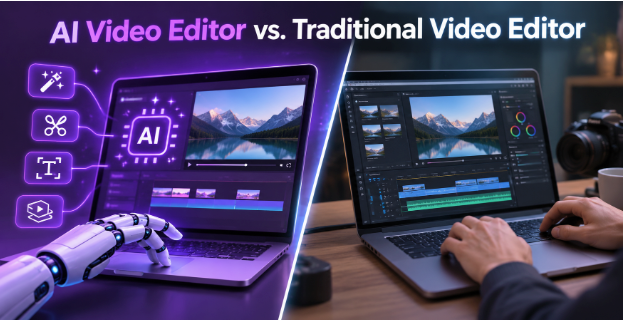
AI Video Editor vs. Traditional Video Editor
A traditional video editor is software where every cut, transition, and adjustment is built by hand on a timeline, requiring the person operating it to know the tools well enough to execute each step themselves. An AI video editor shifts part of that execution to an agent, which can review footage, assemble a sequence, or apply a look based on a written instruction, while a person directs and refines the result.
The two aren't fully separate categories anymore, since most modern tools blend some automation into an otherwise manual workflow. However, the balance between "you build it" and "an agent builds it for you" still varies considerably.
That balance is really what this comparison comes down to. Choosing between the two isn't just about speed, it's about how much of the technical execution a person wants to do themselves versus hand off, and how much specialized skill a given project actually requires.
This article compares the two categories directly, then covers real tools on each side so the comparison isn't just abstract.
What Actually Separates Them
Three things drive the difference in practice.
1. Skill Requirement
A traditional editor generally expects the operator to already know how to cut, sync, and grade footage, while an AI video editor lowers that bar by handling more of the technical execution automatically.
2. Starting Point
A traditional edit starts from a blank timeline, while an AI-assisted edit typically starts from an assembled draft built off a brief.
3. Depth of Manual Control
Traditional software tends to offer more granular, specialized tools for advanced work like multi-layer compositing or precise audio mixing.
The fundamental difference: Traditional editing puts the human in charge of technical execution. AI editing shifts part of that execution to an agent while keeping the human involved in directing and refining the result.
Traditional Video Editor vs. AI Video Editor
Here's a direct comparison of both approaches across the factors that matter most.
| Criterion | Traditional Video Editor | AI Video Editor |
|---|---|---|
| Skill required | Higher, tools and workflow must be learned. | Lower, an agent can build the first pass. |
| Starting point | Blank timeline. | Assembled draft from footage and brief. |
| Manual control | Very deep, built for specialized work. | Solid, though often less granular. |
| Best for | Highly customized, technically demanding projects. | Fast turnaround with an editable result. |
Traditional Video Editors
Traditional editing software remains important for professional post-production, advanced creative work, and projects where precise control over every element is essential.
DaVinci Resolve
DaVinci Resolve pairs professional editing with deep color grading and audio tools in one application, and its free version is unusually full-featured for a no-cost tool.
Key features:- Professional-grade color grading built around the same tools used in film and broadcast finishing.
- Fairlight audio suite for advanced mixing and sound design.
- Fusion for visual effects and motion graphics within the same project.
- Multi-user collaboration on a shared timeline.
- Text-based editing available in the paid Studio tier.
- 4K editing support in the free version, with 8K and beyond in Studio.
Best for: Editors who want professional color and audio tools without a subscription cost.
Final Cut Pro
Final Cut Pro is Apple's professional editor, built exclusively for Mac and optimized for speed within that ecosystem.
Key features:- Magnetic Timeline for fast, collision-free clip arrangement.
- Deep integration with other Apple creative apps.
- Strong performance optimization on Apple Silicon hardware.
- Built-in color grading and audio tools.
- Multicam editing support.
- A large library of built-in titles, effects, and transitions.
Best for: Mac-only editors who want a fast, tightly integrated workflow without a subscription.
Avid Media Composer
Avid Media Composer remains standard in broadcast and episodic television production, built around collaborative, large-scale editing workflows.
Key features:- Media management tools built for large, multi-editor productions.
- Deep integration with broadcast and post-production pipelines.
- Advanced trimming tools for frame-accurate editing.
- Multi-user project sharing across a team.
- Script-based editing for dialogue-heavy content.
- Support for high-volume footage common in episodic and broadcast work.
Best for: Broadcast, episodic, and feature productions with multiple editors on the same project.
AI Video Editors
AI video editors approach the process differently. Instead of requiring every technical step to be performed manually, they use automation, natural-language instructions, and intelligent editing tools to accelerate production.
Invideo Editor
Invideo Editor takes a different starting point than the tools above. Instead of a blank timeline, an agent reviews raw footage against a written brief and builds a working assembly, syncing multicam angles and clearing out unusable takes before a person ever touches the timeline.
Beyond the initial assembly, its AI sound design capabilities can help refine the audio to complement the edited footage, reducing the need for manual sound adjustments.
Key features:- Agentic assembly that builds a base cut from raw footage and a plain-language brief.
- Footage search by describing a moment instead of scrubbing manually.
- A full manual timeline that stays open for hands-on changes after the agent's pass.
- Text- and reference-based color grading alongside manual wheels and curves.
- Automated dialogue cleanup and sound mixing.
- Shareable review links for feedback without exporting separate files.
The manual timeline never goes away in this model, it's just no longer the starting point. A person can take over at any stage, whether that means redirecting the agent with a new note or switching to hands-on editing entirely.
Best for: Editors who want a fast, AI-built starting point from raw footage without giving up manual control afterward.
Descript
Descript takes a different approach to AI-assisted editing: instead of starting from a timeline at all, it transcribes footage automatically, and editing becomes a matter of deleting or rearranging text.
Key features:- Transcript-based editing, where deleting a sentence deletes the matching video.
- Studio Sound for automatic audio cleanup.
- An AI voice tool that can patch a flubbed line without a re-record.
- Automatic filler-word and silence removal.
- Multi-track editing for layering additional footage or audio.
- Built-in screen recording for tutorial-style content.
Best for: Editors working on talking-head, interview, or presentation-style content who'd rather edit text than scrub a timeline.
CapCut
CapCut applies AI editing to fast, short-form content, with templates and one-click tools doing most of the technical work automatically.
Key features:- Auto captions generated without manual typing.
- One-click background removal without a green screen.
- Template-driven AI effects for quick, guided edits.
- Auto-reframe for different aspect ratios.
- Mobile-first editing, so a video can be made entirely from a phone.
- A large library of trending templates and sounds.
Best for: Editors producing high volumes of short-form social content who want speed over deep manual control.
Which One Should You Use?
The right choice depends on your project, technical requirements, editing experience, and production volume.
- Need deep, specialized color and audio tools without a subscription? Choose DaVinci Resolve.
- Editing exclusively on a Mac and want a fast, tightly integrated workflow? Choose Final Cut Pro.
- Working on a broadcast or episodic production with multiple editors? Choose Avid Media Composer.
- Want a fast starting point built from raw footage without doing every step manually? Choose Invideo Editor.
- Editing talking-head or interview content and would rather cut text than scrub a timeline? Choose Descript.
- Producing high volumes of short-form social content and want speed over manual depth? Choose CapCut.
Frequently Asked Questions
Is an AI video editor good enough to replace a traditional one?
For a lot of common projects, yes. For highly specialized, technical work like advanced compositing or cinema-grade color work, traditional software still offers more depth.
Do AI video editors still offer manual control?
The better ones do. Invideo Editor, for example, keeps a full manual timeline open even after an agent builds the first assembly, so nothing about the result is locked.
Which is harder to learn, a traditional editor or an AI video editor?
Traditional editors generally take longer to learn, since more of the process depends on the operator already knowing the tools. AI video editors lower that barrier by handling more of the technical execution automatically.
Can a project move between a traditional editor and an AI video editor?
Often yes. A common workflow uses an AI video editor to build a fast first assembly, then exports it into a traditional editor for advanced, specialized finishing work.
The Future of Video Editing Is a Combination of Both
The debate between AI video editing and traditional video editing is not necessarily about choosing one and abandoning the other. Both approaches solve different problems.
Traditional editors provide the depth, precision, and creative control required for demanding projects. AI editors reduce repetitive work, accelerate first drafts, and make video production more accessible.
For many creators, businesses, and marketing teams, the most practical workflow may be a combination: let AI handle the repetitive execution, then use human judgment and specialized editing tools to refine the final result.
Ultimately, the best video editor is not necessarily the one with the most features. It is the one that helps you produce the right result with the right balance of speed, control, and creative effort.